
See the work.
Keep it moving.
An interactive concept demo exploring a distinct workflow with sample data.
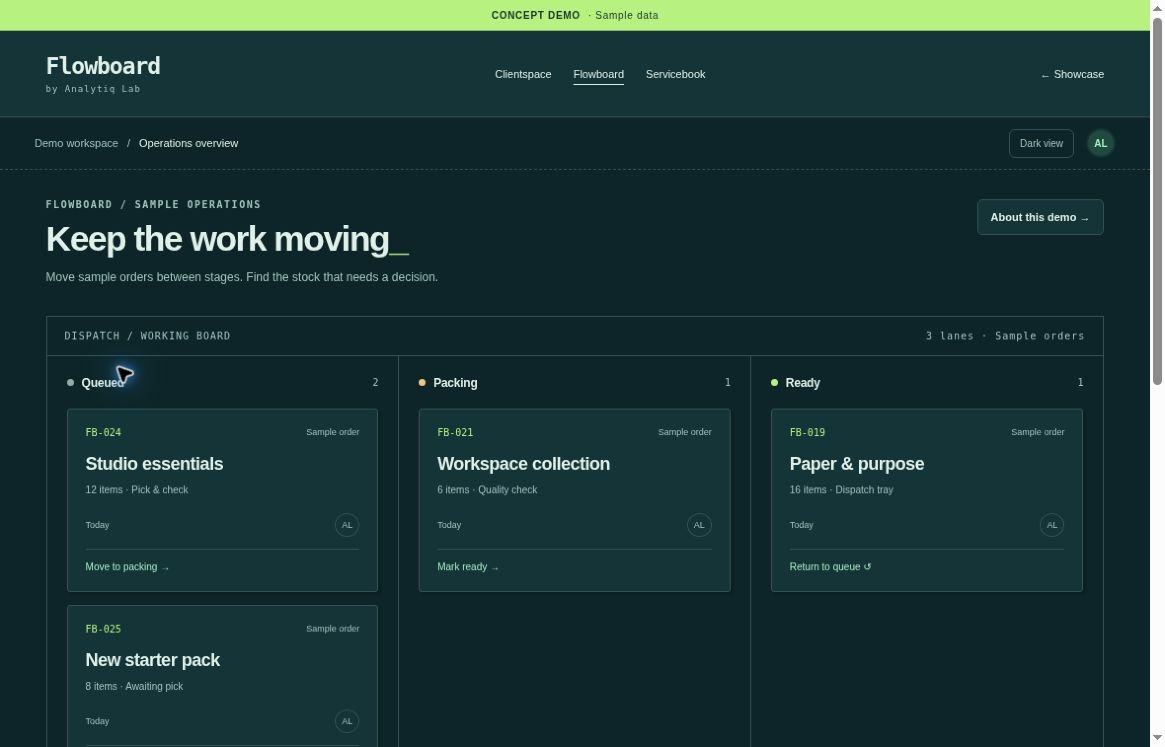
Local demonstration only. No live system is connected.
Start with a useful question.
An imagined small operations team tracks orders and stock across separate sheets. What should a useful daily view make immediately clear?
The design direction
Flowboard gives sample exceptions more prominence than decorative metrics. A supervisor can explore the work queue and spot items that would need attention, without suggesting that sample figures represent a real business.
- Exceptions before averages. Highlight sample low-stock and pending-order states so a proposed action has a clear reason.
- A consistent view of the queue. Bring status, ownership and priority into a coherent sample interface. Real definitions would be agreed with the business.
- Contextual reporting. Use a small number of understandable summaries. Avoid presenting a chart as evidence until its source and definitions are known.
What we would test next
Test whether an operator can locate a blocked item, explain its status and identify the intended next step. Establish real baseline handling time before making any efficiency claim.
What this concept does not do
No inventory, ordering, accounting or analytics system is connected. Figures are fictional UI data, not business results. The demo does not create orders or modify stock.
A useful reference.
Not a ready-made promise.
If this resembles your workflow, bring your own context. Requirements, feasibility and scope come before commitments.